Random Date Generator is an easy and efficient way to generate random dates between two dates without manually selecting each date from a calendar. Whether you need random dates for software testing, research, sample data, spreadsheets, education, planning, or development, an online date generator can produce results within seconds.
Instead of checking calendars and choosing dates one by one, you can simply enter a start date and an end date, specify how many dates you need, and generate your results automatically. This makes the process faster, simpler, and more convenient, especially when you need multiple dates from a specific period.
In this guide, you will learn exactly how to generate random dates between two dates, how date ranges work, how to generate multiple or unique dates, and how to use the results for different types of projects.
What Does It Mean to Generate Random Dates Between Two Dates?
Generating random dates between two dates means selecting dates from a defined period where the first date represents the beginning of the range and the second date represents the end.
For example, suppose you choose:
Start Date: January 1, 2025
End Date: December 31, 2025
A random date generator can select any valid date within this period.
Possible results might include:
- February 14, 2025
- April 9, 2025
- June 21, 2025
- August 17, 2025
- November 28, 2025
The dates shown above are examples only. The actual results depend on the generator’s randomization process.
The main advantage is that you do not have to manually search through every day between the two dates.
What Is a Random Date Generator?
A Random Date Generator is an online tool that automatically creates one or more dates within a specified date range.
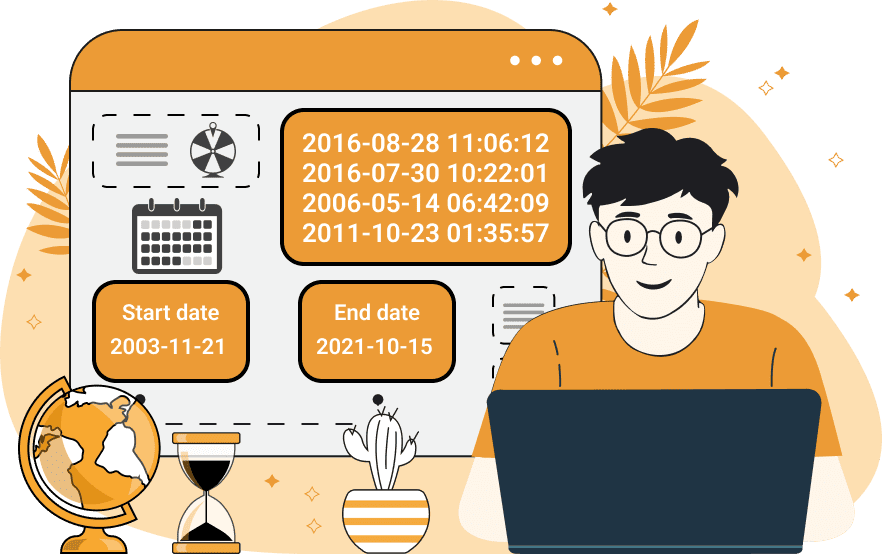
Most basic generators require three pieces of information:
- Start date
- End date
- Number of dates
After entering these values, the tool selects dates from the available range.
Some advanced tools may also offer additional options, such as:
- Unique dates
- Date formatting
- Sorting results
- Including or excluding specific dates
- Generating large numbers of dates
- Copying or exporting results
The exact features depend on the tool, but the basic purpose remains the same: make random date selection faster and easier.
Why Generate Random Dates Between Two Dates?
There are many situations where randomly generated dates can be useful.
Software Testing
Developers often need different dates to test websites, applications, forms, calendars, and databases.
Sample Data
Businesses and developers may need realistic-looking sample dates when creating test datasets.
Research
Researchers can use random dates for simulations, demonstrations, and sample datasets when appropriate.
Education
Teachers can generate dates for calendar exercises, date calculations, and classroom activities.
Spreadsheet Testing
Random dates can help test Excel or Google Sheets formulas, filters, sorting, and reports.
Planning Examples
Random dates can be useful when creating sample project schedules, demonstrations, or mock timelines.
How to Generate Random Dates Between Two Dates
The process is simple. Follow these steps to create random dates from any date range.
Step 1: Open a Random Date Generator
First, open an online Random Date Generator that allows you to specify a start and end date.
A good generator should have a simple interface where you can clearly enter your date range.
Step 2: Enter the Start Date
The start date determines the earliest possible date in your results.
For example:
Start Date: January 1, 2024
If this is your starting point, the generator should not select a date before January 1, 2024.
Step 3: Enter the End Date
Next, enter the final date of your desired period.
For example:
End Date: December 31, 2024
You have now created a complete one-year date range.
Step 4: Choose the Number of Random Dates
Decide how many dates you need.
For example:
Number of Dates: 10
The generator will attempt to create 10 random dates within the selected period.
Step 5: Select the Date Format
If the generator provides formatting options, choose the format that matches your project.
Common formats include:
- MM/DD/YYYY
- DD/MM/YYYY
- YYYY-MM-DD
- Month DD, YYYY
For technical work, YYYY-MM-DD is often convenient.
Step 6: Click Generate
After entering all your settings, click the Generate button.
The tool will randomly select dates from your specified range.
Step 7: Review Your Results
Check the generated dates to make sure they fall within your selected period.
If you need a different set of dates, you can usually generate a new set.
Step 8: Copy the Dates
Once you are satisfied with the results, copy them and use them in your spreadsheet, document, database, testing environment, or research project.
Example: Generate Random Dates Between Two Dates
Suppose you need 5 random dates between January 1, 2023 and December 31, 2023.
Your settings would be:
Start Date: January 1, 2023
End Date: December 31, 2023
Number of Dates: 5
The generated results could look like:
- February 11, 2023
- April 27, 2023
- June 15, 2023
- September 8, 2023
- November 22, 2023
These dates are examples. Your generator may return completely different results.
How to Generate Random Dates for a Specific Month
You do not need to generate dates for an entire year. You can select a specific month by setting its first and last day as your range.
For example, to generate random dates in March 2026:
Start Date: March 1, 2026
End Date: March 31, 2026
The generator will select dates only from March.
This can be useful for:
- Monthly reports
- Appointment testing
- Calendar applications
- Educational exercises
- Sample transaction data
Always check the number of days in the selected month before entering the end date.
How to Generate Random Dates for a Specific Year
To generate dates from a particular year, use January 1 and December 31.
For example:
Start Date: January 1, 2026
End Date: December 31, 2026
You can then select the number of random dates required.
This method is useful when you need yearly sample data or want to test an application using dates from a specific year.
How to Generate Random Dates for a Short Date Range
You can also create a very small range.
For example:
Start Date: August 1, 2026
End Date: August 10, 2026
The generator can select dates from those ten days.
Short date ranges are useful for:
- Event simulations
- Appointment testing
- Short-term schedules
- Calendar testing
- Classroom exercises
How to Generate Multiple Random Dates
If you need more than one date, look for a field such as Number of Dates, Quantity, or Count.
For example, you could request:
- 5 dates
- 10 dates
- 25 dates
- 50 dates
- 100 dates
The number supported depends on the specific generator.
Generating multiple dates at once is particularly useful when creating test datasets.
Can Random Dates Be Generated Without Duplicates?
Yes, but this depends on the tool.
When generating multiple dates, the same date may appear more than once if duplicate results are allowed.
For example:
- March 10, 2025
- April 18, 2025
- March 10, 2025
- September 4, 2025
If your project requires every date to be different, use a generator that offers a unique dates option.
Unique dates are useful for situations such as assigning separate dates to different events or creating a list where repeated dates are not wanted.
How Random Date Generation Works
A computer cannot simply “pick a date” in the same way a person does. The tool uses a randomization method to select a value from the available date range.
Conceptually, the process looks like this:
Start Date → Calculate Date Range → Select Random Value → Convert to Date → Display Result
For example, if the date range contains 365 possible days, the system can select a random position within those available days and convert that position back into a calendar date.
When multiple dates are requested, the process is repeated according to the generator’s settings.
Random Dates for Software Testing
One of the most valuable uses of random date generation is software testing.
Modern applications frequently rely on dates. Examples include:
- User registration dates
- Order dates
- Delivery dates
- Appointment dates
- Subscription start dates
- Payment dates
- Event dates
- Expiration dates
Testing with only a few fixed dates may not expose every possible issue.
Randomly generated dates can provide more varied test data.
For example, a developer testing a search filter might generate 100 dates between 2020 and 2026 and then verify that the application correctly filters records by date.
Random Dates for Databases
Databases often contain dates associated with individual records.
A sample customer database might look like:
| Customer | Registration Date |
|---|---|
| Customer A | February 15, 2022 |
| Customer B | July 9, 2023 |
| Customer C | March 28, 2024 |
| Customer D | October 17, 2025 |
A Random Date Generator can make it much easier to create this type of sample information.
Generated dates can be used to test:
- Database queries
- Date filtering
- Sorting
- Reports
- Search functions
- Data imports
- Date calculations
Random Dates for Excel and Google Sheets
Random dates can be copied directly into spreadsheets.
For example, if you are building a sample sales report, you might need hundreds of transaction dates.
Instead of entering every date manually, generate the required dates and paste them into your spreadsheet.
You can then use them with:
- Sorting
- Filtering
- Charts
- Pivot tables
- Date formulas
- Conditional formatting
- Reports
Make sure the dates are recognized as actual date values rather than plain text.
Random Dates for Research
Random dates can be useful when preparing sample data for research or statistical demonstrations.
For example, a researcher might need sample dates distributed across a five-year period.
A generator can quickly provide a collection of dates from that period.
However, randomly generated dates should not automatically be considered a scientifically valid sample. Formal research may require a specific sampling design depending on the study.
The generator is best viewed as a convenient way to create date values rather than a replacement for a research methodology.
Random Dates for Students and Teachers
Education is another area where random dates can be useful.
Teachers can generate dates for exercises involving:
- Calendar calculations
- Day-of-the-week questions
- Age calculations
- Date differences
- Timelines
- Leap years
- Date formatting
- Probability exercises
For example, a teacher could generate 20 random dates and ask students to calculate how many days are between each date and a reference date.
This provides different practice examples without requiring the teacher to manually create every date.
Choosing the Correct Date Format
Date formatting is important when using generated dates.
Common formats include:
MM/DD/YYYY
Example:
08/25/2026
This format is commonly used in the United States.
DD/MM/YYYY
Example:
25/08/2026
This format is common in many other countries.
YYYY-MM-DD
Example:
2026-08-25
This format is particularly useful for technical applications and databases.
Month DD, YYYY
Example:
August 25, 2026
This format is easy for people to read in articles and documents.
Choose one format and use it consistently throughout your project.
Important Things to Check Before Generating Dates
Before clicking the Generate button, review your settings.
Confirm the Start Date
Make sure the beginning of your range is correct.
Confirm the End Date
Make sure the ending date is correct and comes after the start date.
Select the Correct Number of Dates
If you need 50 dates, do not accidentally request only 5.
Check Duplicate Settings
Determine whether repeated dates are acceptable.
Choose a Suitable Format
Use a format compatible with the application where the dates will be used.
Review the Final Results
Always check the generated dates, particularly if they will be used in an important dataset.
Common Mistakes When Generating Random Dates
Entering the Wrong Year
A simple year mistake can completely change your results.
Reversing the Start and End Dates
The start date should normally come before the end date.
Using an Ambiguous Date Format
Dates such as 04/05/2026 can be interpreted differently depending on regional conventions.
Forgetting Leap Years
February has 29 days in a leap year, which can affect date ranges.
Ignoring Duplicate Dates
If you require unique results, make sure your generator supports duplicate prevention.
Generating Too Many Results
Large numbers of dates may not be necessary for a small task. Choose a quantity that matches your requirements.
Benefits of Generating Random Dates Online
Using an online Random Date Generator provides several advantages.
Saves Time
You can generate multiple dates within seconds instead of selecting them individually.
Reduces Manual Work
The tool handles repetitive date selection automatically.
Supports Custom Ranges
You can define exactly which period your dates should come from.
Easy to Use
Most generators require only basic information.
Useful for Many Purposes
The same tool can be used for testing, research, education, spreadsheets, and development.
Convenient Access
Browser-based tools can generally be used without installing additional software.
Are Randomly Generated Dates Truly Random?
Random date generators normally rely on computer-based randomization methods. The exact algorithm can vary from one tool to another.
For ordinary applications such as sample data, software testing, educational activities, and demonstrations, this type of randomization is generally sufficient.
However, random date generation should not automatically be considered suitable for applications that require specialized or cryptographically secure randomness.
Frequently Asked Questions
What is the easiest way to generate random dates between two dates?
The easiest method is to use an online Random Date Generator. Enter the start date and end date, choose the number of results, and click Generate.
Can I generate multiple dates between two dates?
Yes. Many date generators allow you to specify how many random dates you want to create.
Can I generate random dates for a single month?
Yes. Set the first day of the month as the start date and the last day as the end date.
Can I generate dates for an entire year?
Yes. Use January 1 as the start date and December 31 as the end date for the desired year.
Can I generate unique random dates?
Some tools provide a unique-date option. If available, enable it when you do not want duplicate results.
Can random dates be used for software testing?
Yes. Random dates are useful for testing databases, applications, forms, calendars, filters, sorting, and reports.
Can I use generated dates in Excel?
Yes. You can copy the results into Excel or Google Sheets for sample data, formulas, charts, and reports.
What date format is best for databases?
YYYY-MM-DD is commonly convenient for databases and technical applications because it provides a consistent year-month-day structure.
Can I generate random dates from multiple years?
Yes. Simply choose a start date and end date covering the complete period you need.
Are random date generators useful for students?
Yes. Students can use random dates to practice calendar calculations, date differences, day-of-week calculations, and other date-related exercises.
Can random date generators create past and future dates?
Yes. You can select a range entirely in the past, entirely in the future, or one that covers both periods.
Conclusion
Generating random dates between two dates does not have to be a time-consuming task. A Random Date Generator provides a simple way to select one or multiple dates from any period you specify.
The process is straightforward: enter your start date, enter your end date, select the number of dates, choose your preferred format, and generate the results. You can use the generated dates for software testing, databases, spreadsheets, research, education, planning, and many other purposes.